Thinking about listing your Apple Valley home and want it to shine online? Today’s buyers scroll fast, and you have only a few seconds to grab attention. A professional video tour shows how your home lives, from room-to-room flow to outdoor space, in a way photos alone can’t. In this guide, you’ll learn the benefits of video, what to film for Apple Valley properties, costs and timelines, and how to choose the right videographer. Let’s dive in.
Why pro video tours work for Apple Valley sellers
Professional video tours help your listing stand out where buyers start their search online. Video increases engagement, helps viewers understand layout and scale, and can attract out-of-area buyers who need a deeper look before visiting. It also qualifies buyers so in-person showings are more productive.
Results vary by market and property type, so think of video as a visibility and buyer-qualification tool, not a guaranteed price boost. In Apple Valley, where homes range from suburban lots to larger rural properties, video is especially useful for showing acreage, views, outdoor amenities, and circulation.
What to film in Apple Valley
Highlight the right features
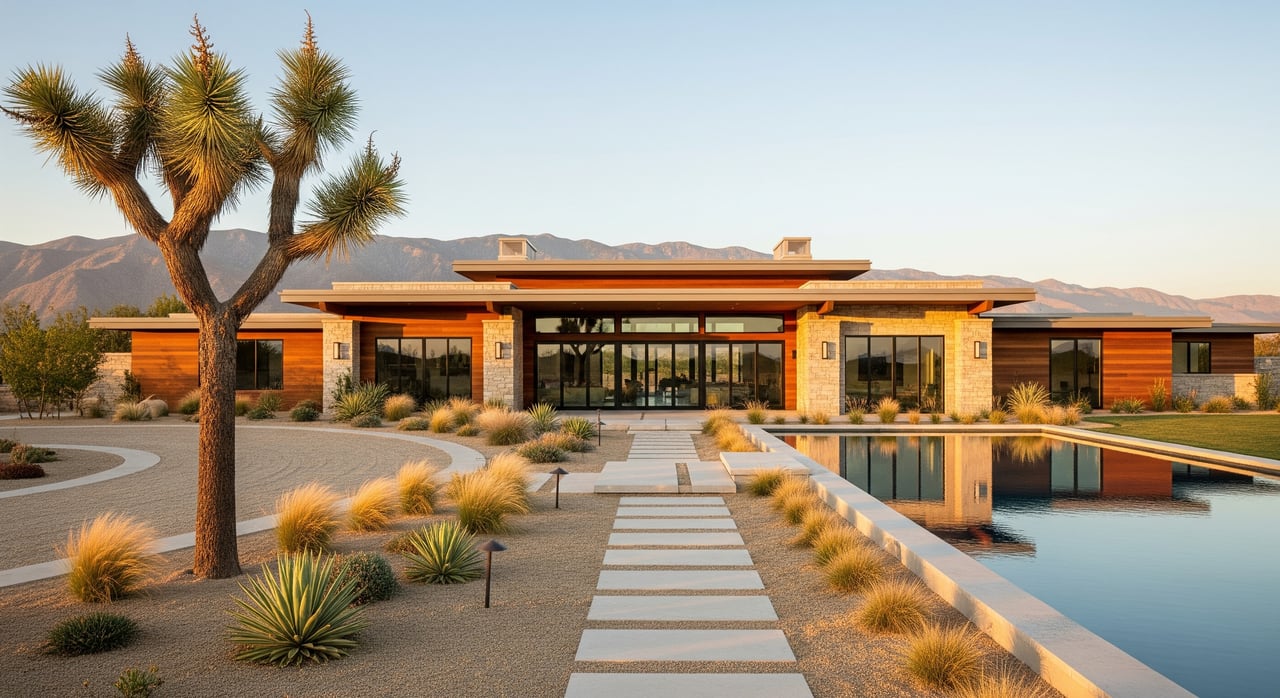
- Exterior and lot: curb approach, aerial lot overview, backyard, patios, barns, fencing, outbuildings, and garages. If you show boundaries, use approximate language unless verified by a survey.
- Interior flow: entry, living spaces connected to kitchen and dining, primary suite, bathrooms, laundry, storage, and any unique features like built-ins or fireplaces.
- Systems and upgrades: solar panels, HVAC, water heater, and other mechanical rooms that matter to buyers.
- Neighborhood context: nearby parks, trailheads, and commercial corridors when relevant.
Time your shoot for the High Desert
- Interiors: aim for midday when natural light is abundant.
- Exteriors: late afternoon or golden hour often looks best, but avoid harsh shadows on the architecture.
- Weather: plan around wind or dust events. If you book a twilight shoot, prep exterior lights and expect a short window after sunset.
Pick your video package
Choose formats based on your goals
- Walkthrough tour (about 60 to 120 seconds): a cinematic, room-to-room overview ideal for listing pages and YouTube.
- Agent‑hosted tour: your agent on camera providing narration and local context.
- Drone footage: aerials that show lot size, orientation, and views.
- 3D or interactive tour: a navigable model for deeper remote exploration.
- Short social clips: 15 to 60 second vertical edits for Reels and TikTok.
- Twilight exterior: curb appeal, lighting, and ambience for evening mood.
Ask for the right specs
- Capture in 4K when possible with stabilized footage and balanced color.
- Request captions or subtitles. Many viewers watch with sound off.
- Get a full master video plus vertical and square social edits.
- For 3D tours, ask for an embed link and floorplan images, and confirm access settings.
Costs and timelines to expect
Pricing varies by vendor and package, but common ranges include:
- Basic walkthrough video: usually about $150 to $500.
- Drone add‑on: commonly about $100 to $400.
- 3D tour: commonly about $150 to $600 or more depending on size.
- Full packages with video, drone, 3D, and social edits: commonly about $300 to $1,200 or more.
Scheduling and turnaround:
- Book 1 to 2 weeks ahead in busy seasons and leave flexibility for weather.
- On‑site shoot time is often 30 minutes to 3 hours based on property size and package.
- Editing typically takes 24 to 72 hours for basic edits and up to 3 to 7 business days for more complex packages or 3D processing.
Choose the right videographer
Use this quick checklist when you interview vendors:
- Portfolio: recent real estate work that reflects Apple Valley lighting and property types.
- Certifications: FAA Part 107 for drone work and current drone registration when required.
- Insurance: commercial liability coverage for on‑site work and drone operations.
- Deliverables: file formats, social edits, captions, and any vertical versions.
- Ownership and usage: clarity on who owns the final video and music licensing.
- Turnaround and revisions: timeline, how many revision rounds, and rush options.
- References and reviews: local agent or client feedback.
- Pricing transparency: travel fees, drone fees, music licensing, and editing all spelled out.
- Accessibility and compliance: captions included and no unlicensed music.
Prep checklists for sellers
Pre‑shoot prep
- Declutter and depersonalize high‑impact rooms like the kitchen, living room, and primary suite.
- Clean windows, replace burnt bulbs, and use consistent color temperature bulbs (around 3000 to 4000K).
- Hide trash bins, pet items, and excess decor. Remove cars from the driveway if possible.
- Tidy the yard, trim plants, and secure pets.
- Make sure utility areas are accessible and presentable.
Day‑of tips
- Confirm arrival time and allow for traffic or delays.
- Walk the property with the crew and point out special features and any hazards.
- Set small staging touches like fresh towels or flowers.
- Plan to be off‑camera and off‑site if possible to streamline the shoot.
Deliverables to request
- Full horizontal tour (about 1 to 3 minutes), vertical and square social edits (15 and 30 seconds), drone clips, 3D tour link if applicable, and captions or subtitles.
- Ask about high‑resolution stills pulled from the video and the raw footage policy.
Distribution and compliance
Use your video on major listing portals, your MLS, your agent’s website, YouTube or Vimeo for hosting, and social platforms. Create a strong thumbnail, add a short property description with key facts, and include a clear call to action. Most social video is watched without sound, so captions are essential.
Stay compliant and accurate:
- MLS and fair housing: describe property features, not buyer types. Keep captions neutral and factual.
- Drone and airspace: ensure the operator follows FAA Part 107 rules and checks local airspace and temporary restrictions.
- HOA and permits: verify HOA guidelines and any municipal or county filming rules for exterior or aerial footage.
- Privacy: avoid filming into neighboring yards without consent and get releases if people will appear on camera.
- Measurements: avoid implying exact lot lines or square footage unless verified. Use “approximate” if needed.
Sample two‑week listing timeline
- Day 0: Hire videographer and confirm shoot date.
- Days 3 to 10: Staging, decluttering, and pre‑shoot checks.
- Day 10: On‑site video shoot (about 1 to 3 hours).
- Days 11 to 15: Editing and your review.
- Days 15 to 20: Final files delivered and uploaded to MLS, listing pages, and social channels.
Ready to list with video?
Professional video tours help buyers connect with your Apple Valley home before they ever step inside. If you want guidance on the right package, vendor selection, and launch plan, our team is here to help. Curious what your home could sell for next? Get Your Instant Home Valuation and let’s map out your timeline. Connect with Janet Cisneros to get started. Se habla español.
FAQs
Will pro video help my Apple Valley home sell faster?
- Video increases online engagement and helps remote buyers understand the home and lot, while the impact on speed or price depends on current market conditions and property type.
Do I need drone footage for Apple Valley listings?
- Drone is especially helpful for larger lots, views, or unique outdoor amenities; for small suburban lots it is optional.
How long should a listing video be?
- Aim for about 60 to 120 seconds for the main walkthrough, with shorter 15 to 30 second clips for social.
Can I DIY the video instead of hiring a pro?
- DIY can work if you have the right gear and editing skills, but professionals bring stabilized footage, color correction, licensed music, drone capability, and a polished turnaround.
What if my HOA restricts drone flights?
- Confirm HOA rules in writing and focus on interior, exterior ground shots, and twilight scenes; you can still produce an effective tour without aerials.
When should I schedule the shoot before going live?
- Plan the shoot 3 to 14 days before listing to allow time for staging and editing.